Filtering the Report
When viewing the report, each of the three filters on the top right of the report can be opened and adjusted.

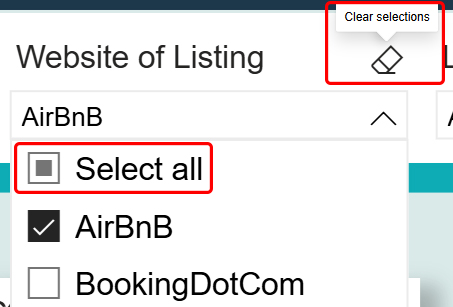
By default, all short stay accommodation providers and local government areas are selected. Users can open the drop down and select one or multiple options.
To clear your selection, use the eraser button available on the filter, or “select all”
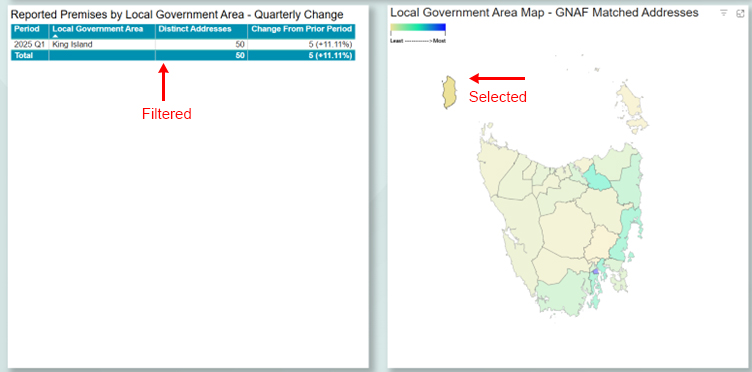
You can also filter the report by selecting elements within a visual (for example, a region on the map or a row in a table). To clear the filter, select the same element again.
Address Matching Process
Addresses in this report are categorised by whether they could be matched to a Geocoded National Address File (G-NAF) identifier.
G-NAF matched addresses are addresses provided by Short Stay Accommodation providers that were successfully matched to an address record in G-NAF. This enables more reliable geographic reporting (for example, assigning addresses to Local Government Areas using standardised geocoding).
Some provider-supplied addresses are incomplete or of insufficient quality to match to G-NAF. In these cases, we use the postcode provided to assign the address to a Local Government Area.
Categorising Premise Information
In cases where an address had multiple records with conflicting permit status or residence type classifications, we applied a mode-based rule: for each address, the most frequently occurring category was used for each attribute.